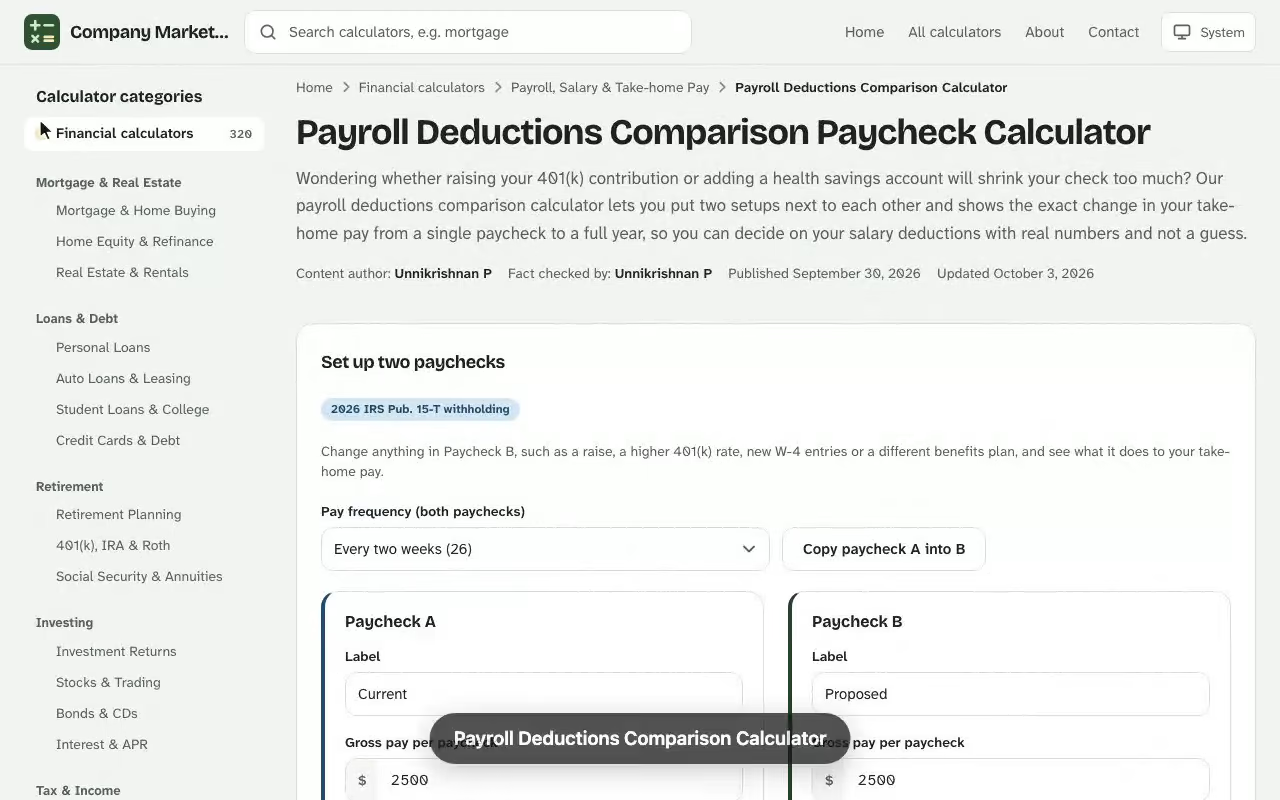
Payroll Deductions Comparison Calculator. Wondering whether raising your 401(k) contribution or adding a health savings account will shrink your check too much? Our payroll deductions comparison calculator lets you put two setups next to each other and shows the exact change in your take-home pay from a single paycheck to a full year, so you can decide on your salary deductions with real numbers and not a guess. Next, open the free salary increase calculator and enter your own details to see an estimate in seconds.
How the two paychecks compare
Take-home, paycheck A
–
Take-home, paycheck B
–
Difference per paycheck
–
Difference per year
–
–
Side-by-side deductions
Item
Paycheck A
Paycheck B
Effect on take-home, B vs A
Social Security stops at the 2026 wage base of $184,500 and the 0.9% Additional Medicare Tax starts above $200,000 of yearly pay; per-paycheck figures spread those yearly amounts evenly.
Results are estimates for educational purposes and are not financial, tax or legal advice.
How a Payroll Deductions Comparison Calculator Works
A payroll deduction calculator starts with your gross pay for one pay period, removes every deduction and tax in the order your employer does, and reports what is left as net pay. The comparison version runs that process twice, once for your current setup and once for a proposed one, then subtracts the two results. Because only the inputs you change can move the answer, the difference tells you precisely what a new benefit election, a different W-4 or a raise does to your paycheck. If you want to see how the figures change, the free payroll net to gross calculator gives you an instant result you can adjust as you go.
You enter your salary, your pay frequency, your filing status and your dependents, then list each deduction. The paycheck calculator returns gross pay, federal income tax, Social Security, Medicare, total deductions and take-home pay for both scenarios side by side. Think of it as a gross-to-net preview of the pay stub you would receive.
Gross Pay to Take-Home Pay: The Core Paycheck Formula
Every payroll calculator, however polished, rests on one subtraction. Your employer withholds taxes and deductions from gross pay, and what remains is your net income for the period: Pair this with the disability insurance calculator for a fuller picture before you make a decision.
Gross pay for a salaried worker is the annual salary divided by the number of pay periods:
$$\text{Gross pay per period} = \frac{\text{Annual salary}}{\text{Pay periods per year}}$$
An hourly wage works the same way once you multiply the rate by the hours worked, with overtime added at its own premium rate. The result is the starting figure for everything that follows.
Pre-Tax Deductions vs Post-Tax Deductions on Your Paycheck
The order matters. Pre-tax deductions come out before income is measured for tax, so they lower your taxable income. Post-tax deductions come out after taxes are calculated and do not reduce them. A comparison calculator makes this visible: moving $100 from a post-tax line to a pre-tax line costs you less than $100 of net pay.
Health Insurance and 401(k) Retirement Contributions
Employee premiums for health insurance are usually pre-tax, and they typically also escape Social Security and Medicare tax. A traditional 401(k) lowers federal and state taxable income, but those retirement contributions are still subject to FICA. That distinction explains why a 401(k) saves less tax than a premium of the same size.
Flexible Spending Account and Health Savings Account Elections
A flexible spending account or a health savings account set up through your employer is deducted before tax, which trims both income tax and payroll taxes. Add them as separate pre-tax lines so each scenario shows how much of your take-home pay they consume.
Wage Garnishment and Union Dues
Items such as union dues, charitable gifts and court-ordered wage garnishment are post-tax. They are mandatory deductions in the garnishment case and voluntary deductions in the others, but neither lowers your tax bill, so keep them identical across both scenarios unless you are testing them.
Federal Income Tax Withholding and Your Form W-4
Your employer calculates federal income tax from the Form W-4 you submit. This withholding certificate records your filing status, whether you hold more than one job, your dependents and any additional withholding you request. Tax withholding is only an advance payment on your real tax liability, so a W-4 that withholds too little can leave you owing, while one that withholds too much produces a larger tax refund and a smaller paycheck.
Filing Status and Dependents
Choosing head of household instead of single widens your tax brackets, and married filing jointly doubles them. Each qualifying dependent also reduces withholding through a credit on the W-4, so changing your dependents input is one of the most informative comparisons you can run.
Allowances and the Standard Deduction
Older forms used allowances; the current form replaced them with the steps above. Withholding still assumes the standard deduction, and the calculator applies it and the brackets below to your taxable income, which is why a pre-tax deduction saves tax at your top bracket rate (12% in the worked example), which for 2026 is $16,100 for a single filer, $32,200 for married filing jointly and $24,150 for head of household.
2026 federal tax brackets (single)
Taxable income
Tax rate
Bracket 1
$0 to $12,400
10%
Bracket 2
$12,400 to $50,400
12%
Bracket 3
$50,400 to $105,700
22%
Bracket 4
$105,700 to $201,775
24%
FICA Payroll Taxes: Social Security and Medicare
FICA is the second layer of payroll taxes. You pay 6.2% for Social Security up to the wage base limit ($184,500 in 2026) and 1.45% for Medicare on all wages. High earners also owe the 0.9% additional Medicare tax above the IRS threshold. FICA is computed on FICA wages in each scenario, so health premiums and HSA contributions change Social Security and Medicare between the columns while 401(k) deferrals do not. Your employer matches the first two, which never shows up on your pay stub, and also pays unemployment tax on its own account.
Pay Frequency: Bi-Weekly vs Semi-Monthly Paycheck Amounts
Pay frequency decides how many checks you receive and how large each one is. A bi-weekly schedule has 26 payrolls a year, while semi-monthly pay has 24, so a semi-monthly check is larger though the annual total is identical. For a $67,400 salary, the gross amount per period looks like this:
Pay frequency
Pay periods per year
Gross pay per period
Weekly
52
$1,296.15
Bi-weekly
26
$2,592.31
Semi-monthly
24
$2,808.33
Monthly
12
$5,616.67
Worked Example: Comparing Two Paycheck Calculator Scenarios
Suppose you earn an annual salary of $67,400, are paid bi-weekly, file as single and claim no dependents. Your gross pay per period is $2,592.31. Scenario A is your current setup: 3% to your 401(k), a $142.00 health insurance premium and $18.00 of union dues. Scenario B raises the 401(k) to 8% and adds $60.00 to a health savings account. This estimate ignores state and local taxes.
Per bi-weekly paycheck
Scenario A
Scenario B
Difference
Gross pay
$2,592.31
$2,592.31
$0.00
401(k) contribution
$77.77
$207.38
+$129.61
Health insurance and HSA
$142.00
$202.00
+$60.00
Federal income tax
$200.86
$178.11
-$22.75
Social Security
$151.92
$148.20
-$3.72
Medicare
$35.53
$34.66
-$0.87
Union dues (post-tax)
$18.00
$18.00
$0.00
Take-home pay
$1,966.23
$1,803.96
-$162.27
Scenario B, gross-to-net: every deduction and tax between gross pay and take-home pay on one bi-weekly paycheck.
Reading the Side-by-Side Net Pay Results
Scenario B moves an extra $189.61 per pay period into savings, yet your net pay falls by only $162.27. The $27.34 gap is tax you no longer pay: $22.75 of federal income tax and $4.59 of payroll taxes. Over 26 paychecks that is $4,929.86 saved at a take-home cost of $4,219.02, an effective discount of roughly 14.4%.
Taxes fall from $388.31 to $360.97 as pre-tax savings and benefits rise by $189.61.
Read each row, not just the bottom line. If the take-home pay drop is larger than you can budget for, adjust one input and compare again. Smaller moves, such as a 6% contribution, land between the two columns.
Step-by-Step: Using the Salary Calculator for Two Scenarios
A salary calculator that supports two scenarios saves you from rebuilding the same inputs twice. Follow this order so the paycheck results stay comparable:
Enter your gross salary exactly as it appears on your most recent paycheck, and keep it the same in both columns unless you are testing a raise.
Fill in the first column with what is deducted today, line by line, until the take-home figure matches the deposit in your bank account. If it does not match, one of your inputs or taxes is off.
Copy that column across, then change only the deduction or election you want to test.
Click the calculate button and read the difference between the two paychecks.
Repeat with a second change, one at a time, so you know which adjustment moved your income the most.
See how the Payroll Deductions Comparison Calculator works: change the inputs and the difference per paycheck updates instantly. Enter your own numbers in the calculator above.
The first reconciliation step is the one most people skip. A paycheck that ties back to your real deposit proves the taxes, benefits and tax withholding in the tool mirror your payroll, and every later comparison inherits that accuracy.
Employer and Employee Responsibilities for Tax Withholding
Understanding who does what explains many surprises on a paycheck. The employer is legally responsible for calculating, withholding, depositing and reporting taxes. The employee is responsible for giving accurate information, mainly on the W-4, and for reviewing each paycheck. When either side slips, the result is an incorrect tax withholding amount, and the employee carries the consequence at filing time.
The employer withholds federal income tax, state taxes and the employee share of FICA, which are the tax lines in each scenario column.
The employee decides which voluntary benefits to elect, and each election is a deduction line you can change between columns.
The employee updates the W-4 after major life changes, because the employer cannot know about a marriage, a new child or a second job.
Because the two sides share the job, a comparison calculator doubles as an audit tool for the employee: if the payroll department's withholding does not resemble the tool's, you have a concrete number to bring to them.
Hourly Wage, Overtime and Variable Paychecks
Hourly workers see a different pattern, because gross pay changes every pay period with hours worked. Overtime is paid at a premium, and the higher check is taxed as if it were earned at that pace all year, so the taxes taken from an overtime paycheck can look disproportionate. To compare fairly, model a typical period and a heavy period as two scenarios, and keep the deductions identical. You will see how much of each extra dollar of wages you keep, which matters when you are deciding whether to accept additional shifts.
How Much Do Taxes Take Out of Your Paycheck?
The comparison calculator reports an effective tax rate for each scenario, with Social Security and Medicare taking a fixed 7.65% of FICA wages before anything else. In the worked example, Scenario A pays $388.31 in taxes on a $2,592.31 paycheck, or about 15.0%, and Scenario B pays $360.97, or about 13.9%. The lower figure is not a loophole. It simply reflects that more of your income was directed into pre-tax accounts that the tax code rewards.
Track this percentage across scenarios. If it barely moves while your take-home pay drops sharply, the change you tested is not buying much tax relief, and you may prefer a different deduction.
Sample Questions a Payroll Comparison Can Answer
How much smaller will my paycheck be if I double my retirement savings?
Will a raise move part of my income into a higher bracket, and how much of it will I keep?
What happens to my take-home pay if I claim a new dependent on my W-4?
Is the higher-paying job still better after its taxes and benefit costs?
How would a smaller refund at tax time be offset by a bigger paycheck now?
Each question reduces to the same routine: change one input, recalculate the taxes, and read the difference in take-home pay. That repeatable method is why this style of calculator keeps working long after the tax tables change.
Salary Paycheck Calculator Inputs You Need Before You Start
Gather these details first, ideally from your latest pay stub and your benefits portal. Any salary paycheck calculator guide will tell you the same: accurate inputs decide accurate estimates.
Annual salary or hourly rate, plus expected overtime
Pay frequency and the number of pay periods left in the year
Filing status and number of dependents from your W-4
Each pre-tax deductions line: health insurance, 401(k), HSA, FSA
Each post-tax deductions line: union dues, Roth contributions, garnishments
Your state income tax and any local taxes
Year-to-date totals if a deduction or Social Security cap could be reached mid-year
Testing a 6% Contribution with a Payroll Deduction Calculator
An open-enrollment email arrives: the employer will match 100% of 401(k) contributions up to 6% of pay, and yours currently sits at 4%. Before changing anything, you pull up your latest pay stub. It shows a $54,860 annual salary on a semi-monthly schedule, so gross pay is $2,285.83 over 24 pay periods, plus a $97.00 pre-tax health premium. You file as single with no dependents.
In the first column you enter the 4% election ($91.43). The payroll deduction calculator returns $160.86 of federal income tax, $135.71 of Social Security, $31.74 of Medicare and a take-home pay of $1,769.09, which matches the deposit on your stub to the cent. That match tells you the inputs are right. In the second column you change only the contribution to 6% ($137.15).
Semi-monthly paycheck
4% contribution
6% contribution
401(k) deferral
$91.43
$137.15
Federal income tax
$160.86
$155.37
Take-home pay
$1,769.09
$1,728.86
You save $45.72 more per period, yet your net pay falls by just $40.23, because federal tax drops $5.49. Your taxable income of $33,140.40 sits inside the 12% bracket ($12,400 to $50,400), which is why each deferred dollar saves 12 cents of federal income tax. Social Security and Medicare do not move, since a 401(k) deferral does not reduce FICA wages.
The decision follows from the numbers. Capturing the full 6% match adds $45.72 from your employer each period, or $1,097.28 over 24 checks, for a $965.52 annual cut in take-home pay. You submit the new rate and set a reminder to compare your next pay stub with the second column.
State Income Tax and Local Taxes in Your Take-Home Pay
State income tax varies widely: nine states levy none, while others use graduated rates, and some add local taxes or payroll programs such as disability, family leave and unemployment tax. Because these taxes depend on where you work, always pick your work state for both scenarios when you are comparing deductions, and change the state only when you want to test a relocation.
How Retirement Contributions Change Your Net Income
Retirement saving is where a payroll deductions comparison shows the biggest surprise. A traditional contribution reduces taxable income, so the cost to your take-home pay is smaller than the amount saved, as the worked example proved. A Roth contribution is post-tax and costs the full amount. If your employer also matches contributions, the benefits can outweigh the take-home reduction entirely.
Take-home pay across 401(k) rate and HSA amount, with the worked example's cell outlined.
Comparing Job Offers with a Dual Scenario Paycheck Calculator
A dual scenario comparison is just as helpful for job offers. Enter the two salaries, the two sets of benefits and the work state for each, then compare net pay per check. An offer with a higher salary but costlier health insurance premiums can leave you with less money each month than a lower offer with richer benefits. Include non-cash factors before deciding.
Bonus Pay and Supplemental Wage Withholding
If your paycheck includes a bonus, the employer may withhold at the flat supplemental wage rate, which can be higher than your normal rate. That is withholding, not your final tax: any excess returns as a refund. Run the bonus as its own line in a scenario to see the check you will really get.
Common Mistakes When Comparing Payroll Deductions
Each slip below distorts the difference column, so check them before you trust a result.
Forgetting that pay frequency changes every per-period figure.
Entering a 401(k) as if it avoided FICA, which overstates the take-home gap between the two columns.
Leaving an outdated W-4 in both scenarios after a marriage, a new job or a new dependent, so both paychecks inherit the wrong withholding.
Comparing scenarios that differ in more than one input, so the cause of the change is unclear.
Ignoring tax rates and brackets when a raise pushes income into the next bracket.
Mistakes here carry penalties too: under-withholding can produce an underpayment charge from the IRS.
Keeping Your Paycheck Comparison and Withholding Accurate
Reconcile the first column to your pay stub, then review your pay stub after any life or benefits change, compare it to the calculator's estimate, and adjust your W-4 if they disagree by more than a few dollars. Re-run the comparison each January and again after open enrollment. Keep notes of the figures so you can see how your take home pay and net income shift year over year.
Limits of a Payroll Calculator Estimate
A calculator gives an estimate, not a payroll record. Employers use IRS withholding tables and their own benefit codes, so an actual paycheck can differ by a few dollars. The tool does not give tax advice. For complex cases such as multiple jobs, equity pay or self-employment income, ask an accountant to review your numbers.
What does a payroll deductions comparison calculator show?
It runs the same paycheck twice, once with your current deductions and once with a proposed set, and reports the taxes, deductions and take-home pay for each along with the difference between them.
Why does my take-home pay fall by less than the amount I add to my 401(k)?
Traditional 401(k) contributions are pre-tax, so they lower the income your federal tax is based on. You keep the tax you would otherwise have paid, which means take-home pay drops by less than the contribution.
Are pre-tax and post-tax deductions treated differently?
Yes. Pre-tax deductions such as health premiums, FSA and HSA contributions reduce taxable wages, while post-tax deductions such as union dues, Roth contributions and garnishments come out after taxes are calculated and do not lower them.
How does pay frequency change my paycheck?
Your annual pay is divided across more or fewer paychecks. A semi-monthly schedule has 24 paychecks and a bi-weekly schedule has 26, so each semi-monthly check is larger, though the yearly total is the same.
How do filing status and dependents affect withholding?
Your filing status sets the standard deduction and tax brackets applied to your pay, and each dependent claimed on your W-4 reduces the federal tax withheld, so changing either input changes your take-home pay.
Which taxes are taken out of every paycheck?
Most paychecks have federal income tax, Social Security (6.2%) and Medicare (1.45%) withheld, plus state and local income taxes and state insurance programs where they apply.
Is the result the same as my real pay stub?
It is an estimate. Employers use IRS withholding tables and their own benefit codes, so your actual paycheck can differ by a few dollars. Match Scenario A to your latest pay stub first, then change one input at a time in Scenario B.
Can I use it to compare two job offers?
Yes. Enter one offer's salary and benefits as Scenario A and the other's as Scenario B, then compare take-home pay per paycheck and per year.